



Kisan Hisab · Works without internet
A farm book that works without internet
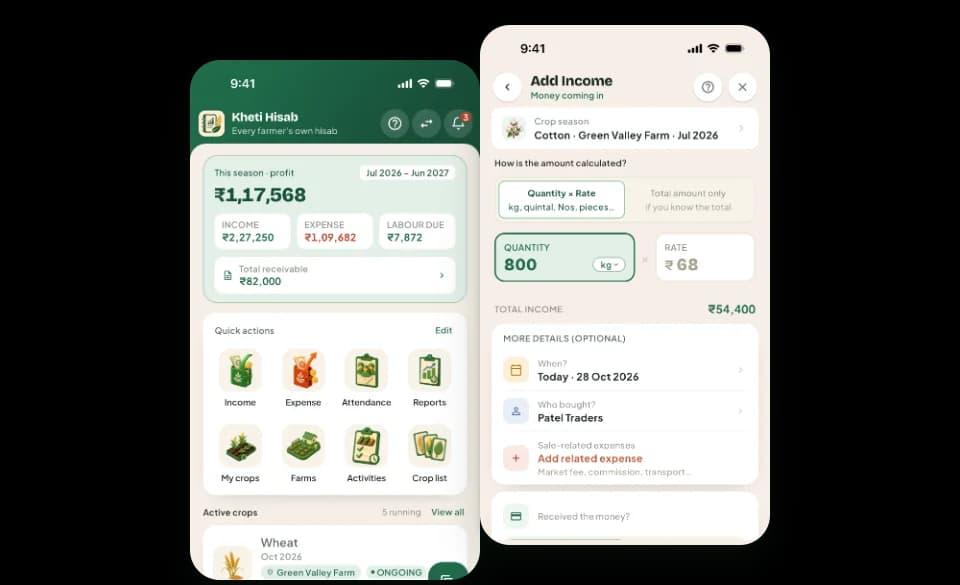
Everything in your Kisan Hisab book works with no network at all: entries, crops, parties, attendance, contracts and reports. Your records are saved on your phone first, so a weak signal in the field never stops you.
The problem it solves
- The farm has a weak signal, or none at all, exactly where you do the work.
- An app that waits for the network loses the moment you wanted to write down.
- Mobile data is limited, and you do not want an app that uses it for every entry.
How it works in Kisan Hisab
- Open Kisan Hisab anywhere. Nothing waits for a connection.
- Add an entry, mark attendance, check a crop or read a report as always.
- When you have internet, do the few things that need it: back up to Google Drive, sign in, or buy Pro.
What you can keep
Works with no network
Entries, crops, parties, attendance, contracts and reports, all kept on your phone.
Needs internet
Backing up to or restoring from Google Drive, signing in, buying Pro, and Cloud Sync.
Where your records are
On your phone. Without a backup or Cloud Sync, a lost phone cannot be brought back, so make a backup when you are online.
How it works with the rest of the app
Common questions
Does Kisan Hisab work without internet?
Yes. Everything in your book works with no network at all: adding entries, crops, parties, attendance, contracts and reports.
Internet is needed only to back up to or restore from Google Drive, to buy Pro, to sign in, and for Cloud Sync.
Where are my records kept?
Your records are saved on your phone.
When “Cloud Sync” is on, a copy of the book is also kept on our server, so it can come back on a new phone.
Without a backup or “Cloud Sync”, if the phone is lost or the app is removed, the records cannot be brought back. Please make a backup: see the backup questions below.
Do I need to sign in?
No. The app works fully without an account, and your records stay on your phone.
Signing in lets your Pro plan follow you to another phone, and lets “Cloud Sync” keep a copy of your book.
To sign in, open “More” and tap “Sign in”, just under your profile. To sign out, tap “Sign out” at the bottom.
With “Cloud Sync” on, signing out pauses sync for the books on your phone until you sign in again. Nothing is deleted, and changes not yet sent wait for the same account.
How do I back up my records?
- Open “More” > “Backup & data”.
- Tap “Connect Drive” and sign in with your Google account.
- Tap “Back up”.
- Tap “Auto-backup” and choose how often. The backup then runs when you open the app.
Backups are kept in your own Google Drive. We cannot see them.