



Kisan Hisab · Party khata
Farmer khata: an account for every party
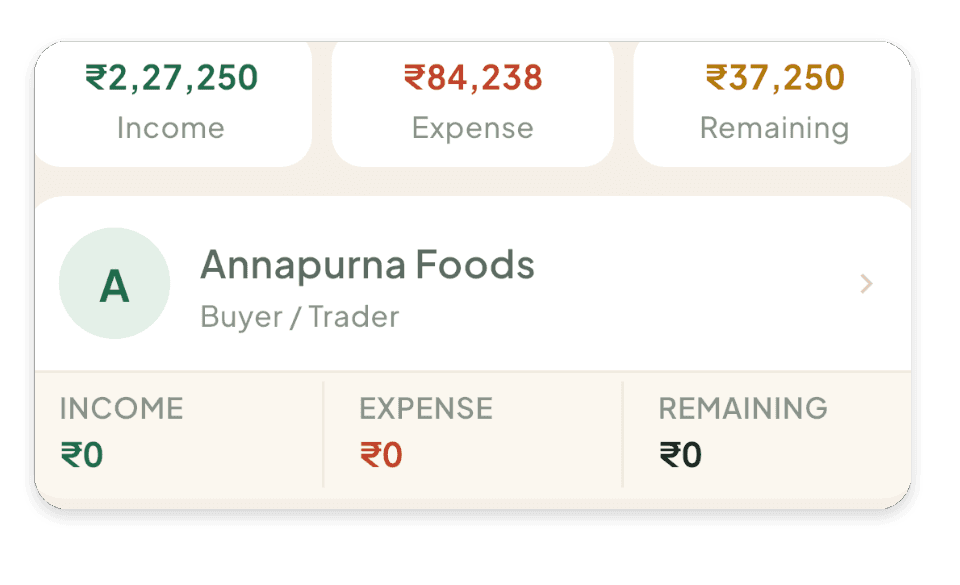
A party is anyone you deal with: a buyer or trader, an agri shop, a labourer, a transporter or an agent. Kisan Hisab keeps a khata for each, with what you will receive, what you must pay, and every entry and payment behind it.
The problem it solves
- The trader says he has paid; your notebook says otherwise, and neither shows the dates.
- The agri shop’s credit is in its bill book, not yours.
- One person is both your buyer and your labourer, and the two accounts get mixed.
How it works in Kisan Hisab
- Open “Parties” and add a person, or pick them from your phone’s contacts. Nothing is uploaded.
- Give them one or more roles: buyer or trader, vendor or shop, labour, vehicle or transport, agent or dalal, or other.
- Choose the party when you record a sale, an expense or a wage payment.
- Open the party to see what you will receive, what you must pay, and each entry with its payments.
What you can keep
To receive and to pay
What the party owes you and what you owe them, including wages still due.
Payment history
Every sale, expense and payment with them, and what is still pending on each.
Totals with them
Income from them, expense with them, and wages due.
Contract balance apart
For a contract buyer, contract money is shown as its own balance, never added to the farm-book one.
Details
Name, mobile, village and a note. A party you no longer deal with can be archived; their history stays.
How it works with the rest of the app
Common questions
How do I add a buyer, a shop or a labourer?
- Open “Parties” and tap the plus button.
- Type the name, or tap “Select from contacts”.
- Tap “Roles” and tick what they are: “Buyer / Trader”, “Vendor / Shopkeeper”, “Labour”, “Vehicle / Transport” or “Agent / Dalal”. One person can be more than one.
- Tap “Save party”.
What do the numbers on a party's page mean?
- “to receive”: money this party still has to give you.
- “to pay”: money you still have to give them. For a labourer this includes unpaid wages.
- “Income”: everything you sold to them, paid or not.
- “Expense”: everything you bought from or paid to them.
- “Wages due”: attendance days not paid yet.
I got only part of the money. How do I record it?
- Save the entry as “Pending”.
- Later, open the entry.
- Tap “Part received” (or “Part paid” on an expense), enter the amount, and tap “Save payment”.
- When all of it is paid, tap “Fully received” or “Fully paid”.
Each payment is listed on the entry and can be changed or removed there.
How do I change a party's name or number?
- Open “Parties” and tap the party.
- Tap the pencil at the top right.
- Change it and tap “Save party”.
How do I delete a party?
A party cannot be deleted, because your old entries carry its name. You can archive it instead.
- Open the party and tap the box icon at the top right.
- Confirm.
It leaves your lists and pickers. Old entries stay as they are.
To bring it back: on “Parties” tap the box icon at the top, open the party, and tap “Bring back”.
What do “Pending”, “Paid” and “Overdue” mean?
- “Pending”: the money has not been given yet.
- “Part received” / “Part paid”: some of it has been given.
- “Received” / “Paid”: all of it has been given.
- “Overdue”: it is still not settled and the due date has passed.